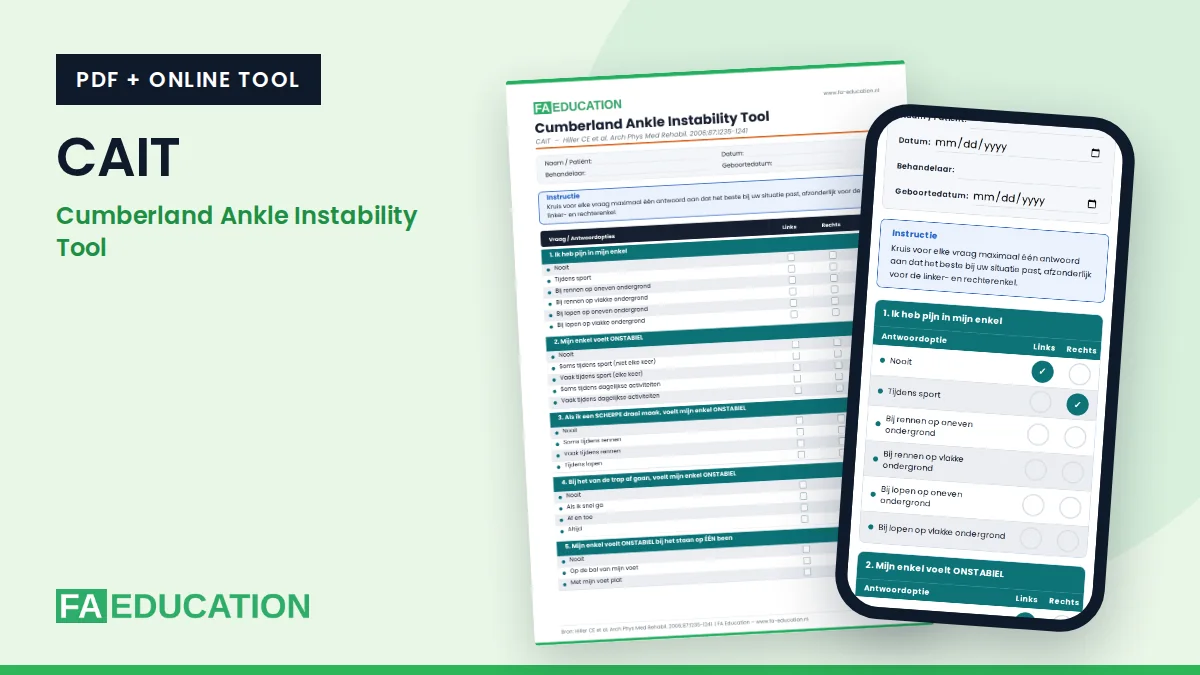
The CAIT questionnaire (Cumberland Ankle Instability Tool) maps how stable someone perceives their ankle. You can download it here for free as a score form, or have it completed online. The score is then calculated instantly.
What does the CAIT questionnaire measure?
The CAIT consists of 9 questions about pain and a feeling of instability in the ankle, including when turning, using stairs, standing on one leg, hopping and running. The patient answers each question separately for the left and the right ankle. The maximum score is 30 points per ankle. A higher score means better ankle function.
In the original publication, test-retest reliability was high (ICC 0.96).
Download or complete online
Complete the CAIT online (Dutch)Score form (PDF, Dutch)Print-friendly PDF (Dutch)
The online version calculates the score immediately and you can print the result or save it as a PDF. Everything you enter stays on your own device: nothing is sent or stored.
The online version and the PDF are currently available in Dutch. An English version is in preparation.
The CAIT as an app on your phone
Open the online version on your phone and add the page to your home screen. You can then open the CAIT with one tap, just like an app. On your first visit on a phone, a short explanation appears once. You can open that explanation again here.
The CAIT as a shortcut on your computer
Working on a computer? Add the online version as a shortcut on your desktop. You can then open the CAIT with a double click. First open the online version with the button above and follow the steps for your browser.
- Google Chrome: click the three dots at the top right, choose “Cast, save and share” and then “Create shortcut”. Click “Create”.
- Microsoft Edge: click the three dots at the top right, choose “More tools”, then “Apps” and “Install this site as an app”. In the window that follows, choose a shortcut on the desktop.
- Safari on Mac: click the share icon in the toolbar and choose “Add to Dock”. The shortcut then appears in the Dock.
- Another browser, or it doesn’t work: make your browser window smaller so you can see the desktop. Then drag the icon to the left of the web address onto your desktop.
Source
Hiller CE, Refshauge KM, Bundy AC, Herbert RD, Kilbreath SL. The Cumberland Ankle Instability Tool: a report of validity and reliability testing. Arch Phys Med Rehabil. 2006;87:1235-1241.
Read also
Want to learn more about the foot and ankle?